
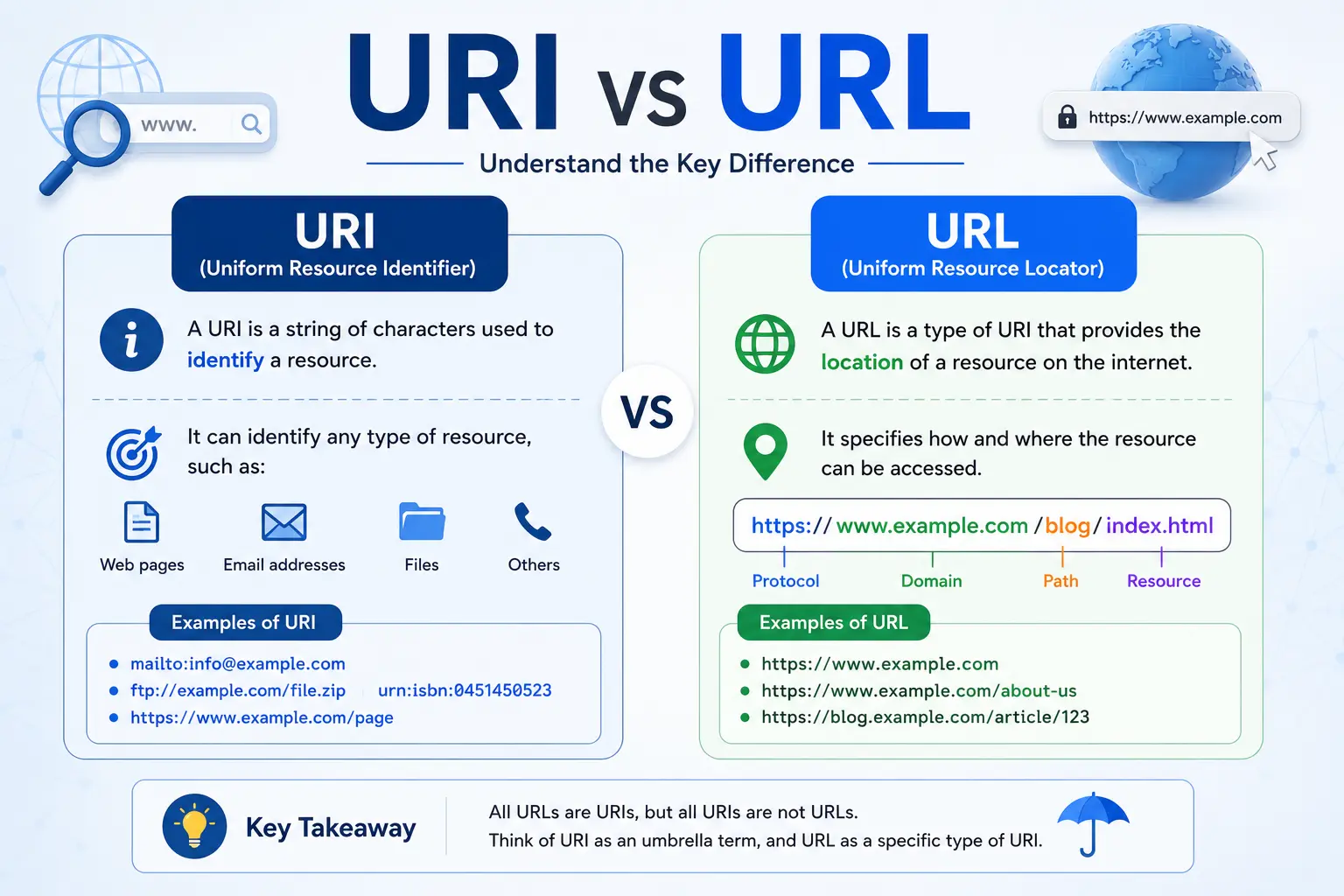
The URI vs URL debate confuses a lot of people because the two terms are often used as if they mean the same thing — and in casual conversation, they usually do. But technically, they aren’t identical. A URL is actually a type of URI, not a separate, competing concept.
Think of it like this: every square is a rectangle, but not every rectangle is a square. In the same way, every URL is a URI, but not every URI is a URL.
This guide breaks down exactly what separates these two terms, where URN fits into the picture, and why the distinction actually matters — even if you’ll mostly just say “URL” in everyday life.
Table of Contents
What Is a URI?
URI stands for Uniform Resource Identifier. It’s the umbrella term for any string of characters that identifies a resource — a webpage, a file, an email address, a book, or even a phone number.
A URI answers one simple question: “What is this?”
It doesn’t necessarily tell you where to find something or how to access it — it just identifies it uniquely. This is the key detail most people miss in the uri vs url comparison.
Examples of URIs:
mailto:contact@example.com
isbn:978-3-16-148410-0
urn:isbn:0451450523
Every single one of these is a valid URI, even though they look completely different and serve different purposes.
What Is a URL?
URL stands for Uniform Resource Locator. It’s a specific type of URI — one that not only identifies a resource but also tells you exactly where to find it and how to access it (usually through a protocol like https, ftp, or mailto).
If you want the fuller breakdown of this concept, see this detailed guide on what a URL is.
A URL answers two questions at once: “What is this?” and “Where can I get it, and how?”
Example of a URL:
This tells you:
- Protocol: https (how to access it)
- Domain: searchglossary.com (where it lives)
- Path: /uri-vs-url (which specific page)
Every URL is a URI because it identifies a resource. But not every URI is a URL, because not every URI includes location and access information.
URI vs URL: Side-by-Side Comparison
| Feature | URI | URL |
| Full name | Uniform Resource Identifier | Uniform Resource Locator |
| Purpose | Identifies a resource | Identifies and locates a resource |
| Includes access method? | Not always | Yes (protocol like https, ftp) |
| Broader or narrower term? | Broader (umbrella term) | Narrower (a type of URI) |
| Example | urn:isbn:0451450523 | https://example.com/book |
| Can it be a webpage link? | Sometimes | Always, if it’s a web resource |
The simplest way to remember it: all URLs are URIs, but not all URIs are URLs.
Where Does URN Fit In?
To fully understand uri vs url, you also need to know about URN (Uniform Resource Name) — the other major type of URI.
A URN identifies a resource by name, permanently, without saying where to find it or how to access it. It’s like knowing a book’s ISBN number without knowing which library has a copy.
urn:isbn:0451450523
This URN identifies a specific book by its unique ISBN, but it gives no information about where to download or purchase it.
URI vs URL vs URN: Full Comparison
| Term | Identifies | Locates | Example |
| URI | ✅ Yes | Sometimes | urn:isbn:0451450523 or https://example.com |
| URL | ✅ Yes | ✅ Yes | https://example.com/page |
| URN | ✅ Yes | ❌ No | urn:isbn:0451450523 |
Here’s a simple way to visualize the relationship:
URI
(Uniform Resource Identifier)
|
———————
| |
URL URN
(Locator — (Name —
identifies + identifies
locates) only)
URI is the parent category. URL and URN are both specific types that fall underneath it.
Real-World Analogy
Imagine you’re trying to find a specific person.
- URI is like saying “identify this person somehow” — it could be their name, their social security number, or their home address.
- URN is like using their name — it identifies who they are, permanently, but doesn’t tell you where they currently live.
- URL is like using their home address — it identifies them and tells you exactly where to find them right now.
This is exactly why almost every link you click on the internet is technically a URL, not just a generic URI — because you need both identification and location to actually reach a webpage.
Why This Distinction Actually Matters
In casual conversation, saying “URL” instead of “URI” is perfectly fine, and most people (including many developers) use the terms interchangeably without any real problem.
However, the distinction matters in a few technical contexts:
- API and software documentation, where precise terminology avoids confusion between identifiers that locate resources and those that don’t
- Web standards and specifications, such as those published by the W3C and IETF, which define these terms precisely
- Database and system design, where some resources need permanent identifiers (URN-style) that don’t change even if their location does
For everyday browsing, marketing, and SEO purposes, “URL” is almost always the correct and expected term — which is also why concepts like URL SEO and vanity URLs are built specifically around the locator function of a URL, not the broader identifier concept of a URI.
Common Mistakes People Make
- Assuming URI and URL are always interchangeable. They usually work fine used loosely, but they aren’t technically identical.
- Thinking URN is outdated or unused. URNs are still used in specific systems like digital libraries, legal document identifiers, and certain enterprise data systems.
- Believing every web link is “just a URL.” Technically true for web browsing, but it’s still a subtype of the broader URI category — not a separate, unrelated term.
- Confusing a URI with a domain name. A domain name (like example.com) is only one component of a URL, not a full URI or URL by itself.
How This Connects to Everyday Web Use
Even though the technical distinction rarely comes up in daily browsing, it quietly explains a few things people notice:
- Why some links start with mailto: or tel: instead of https:// — these are URIs, but not URLs, since they don’t point to a web-locatable resource in the traditional sense.
- Why people naturally default to typing full URLs when they know the exact address, versus searching Google when they don’t — both interactions ultimately rely on the URL’s ability to locate a resource, not just identify one.
Frequently Asked Questions
Is URI the same as URL? No. A URL is a specific type of URI. Every URL is a URI, but not every URI is a URL, since some URIs (like URNs) identify a resource without locating it.
What is the difference between URL and URI with an example? A URI example is urn:isbn:0451450523, which identifies a book but doesn’t say where to find it. A URL example is https://example.com/book, which identifies the resource and tells you exactly where and how to access it.
What is a URN vs URL? A URN identifies a resource by a permanent name without location details, while a URL identifies a resource and provides its exact location and access method.
Is every web address a URL or a URI? Every web address you click in a browser is both — it’s a URL, and since URLs are a type of URI, it’s technically a URI as well.
Why do people use “URL” and “URI” interchangeably? Because in everyday web use, almost all URIs people encounter are also URLs, making the distinction unnecessary outside of technical documentation.
Which term should I use in casual writing? “URL” is the safer, more commonly understood term for web addresses. Reserve “URI” for technical or specification-level writing where precision matters.
Final Thoughts
The uri vs url distinction comes down to one core idea: a URI identifies a resource, while a URL identifies and locates one. Every URL qualifies as a URI, but not every URI — such as a URN — includes the location and access details a URL provides.
For everyday use, “URL” will almost always be the right word. But understanding the full picture, including where URN fits in, gives you a clearer, more accurate grasp of how web addresses and resource identifiers actually work under the hood.


