
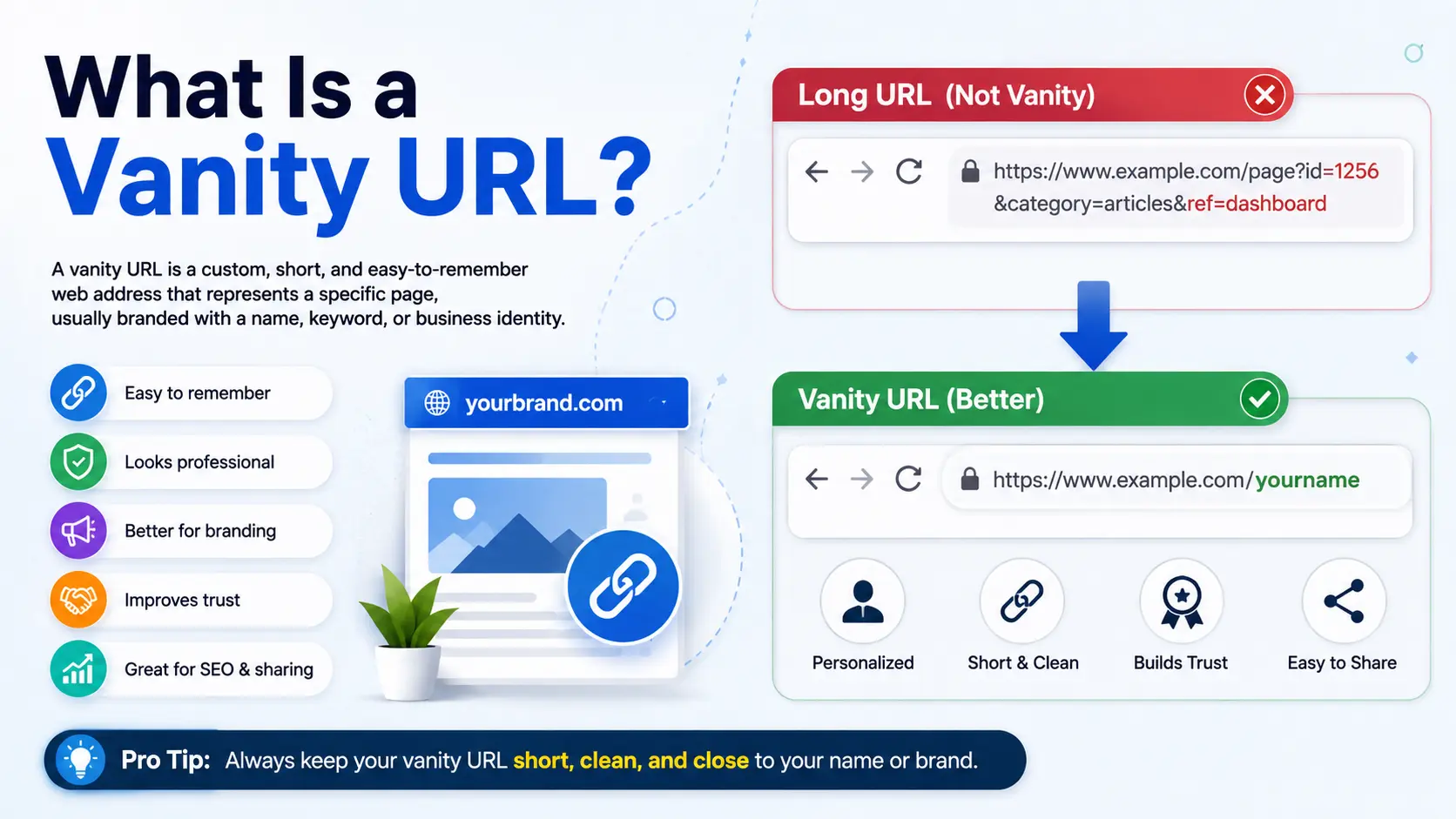
What Is a Vanity URL? Meaning If you’ve ever seen a link like bit.ly/johns-sale or nike.com/blackfriday instead of a long, messy web address, you’ve already seen a vanity URL in action. A vanity URL is a custom, easy-to-read web link that replaces a long or complicated URL with something short, memorable, and often branded with a company name or campaign phrase.
Vanity URLs are widely used in marketing emails, social media bios, business cards, and advertisements because they are easier to read, easier to trust, and easier to remember than standard auto-generated web addresses.
In this guide, you’ll learn the full vanity URL meaning, how it differs from a regular URL, real examples, and a step-by-step process for creating one — even if you’ve never built a link before.
Table of Contents
What Is a Vanity URL? (Simple Definition)
A vanity URL is a custom web address that has been shortened and personalized to include a recognizable word, brand name, or phrase instead of random letters and numbers.
To understand this fully, it helps to know what a URL is in the first place. A URL (Uniform Resource Locator) is simply the web address you type into a browser or click on to reach a specific page — for example, https://www.example.com/products/shoes/blue-running-shoes-2026.
That URL works fine for a browser, but it’s hard for a human to read, remember, or say out loud. A vanity URL solves this problem by replacing that long path with something short and meaningful, like:
example.com/blueshoes
Both links can point to the exact same page. The difference is readability and branding, not function.
Vanity URL Meaning: Breaking It Down
The word “vanity” here doesn’t mean arrogance — it refers to a link that’s built for appearance and identity. Just like a vanity license plate on a car spells out a custom word instead of random numbers, a vanity URL spells out a custom, brand-relevant phrase instead of a random string of characters.
So when someone asks, “what’s a vanity URL” or “define vanity URL,” the short answer is:
A vanity URL is a shortened, customized link designed to be memorable, trustworthy, and aligned with a brand or campaign.
What Does a Vanity URL Look Like? (Examples)
Here’s a side-by-side look at a standard link versus its vanity URL version.
| Type | Example |
| Standard long URL | https://www.companywebsite.com/campaigns/2026/summer-sale?ref=email&id=8842 |
| Vanity URL (branded domain) | companywebsite.com/summersale |
| Vanity URL (shortener-based) | bit.ly/summer-sale26 |
Real-world examples you may have already encountered:
- nyti.ms/breakingnews (used by The New York Times)
- amzn.to/dealoftheday (used by Amazon)
- spotify.com/premium instead of a long tracking link
Each of these keeps the destination page exactly the same but makes the link itself far more shareable.
Vanity URL vs. Regular URL: What’s the Difference?
| Feature | Regular URL | Vanity URL |
| Length | Often long | Short and simple |
| Readability | Hard to read/remember | Easy to read/remember |
| Branding | Usually none | Often includes brand or campaign name |
| Trust factor | Can look suspicious | Looks more credible |
| Use case | General browsing/navigation | Marketing, sharing, print materials |
| Created by | Automatically by the website structure | Manually, using a tool or custom domain setting |
Regular URLs are generated automatically based on a site’s folder structure or database. Vanity URLs are intentionally created by a person or marketing team for a specific purpose.
This connects closely to how people actually reach websites in the first place. Many users don’t type full URLs at all — they search instead. If you’re curious about that behavior, this explainer on searching Google or typing a URL breaks down the difference between the two habits, and why memorable links like vanity URLs still matter even in a search-first world.
Why Vanity URLs Matter (Real-World Use Cases)
Vanity URLs aren’t just a nice-to-have. They serve real, practical purposes:
1. Marketing campaigns A vanity URL like brand.com/springsale is far easier to include in a TV ad, podcast, or billboard than a long tracking link.
2. Social media bios Platforms like Instagram only allow one clickable link, so brands use short vanity URLs to make that link clean and professional.
3. Email marketing Emails with clean, branded links tend to get more clicks than emails with long, cryptic URLs, since readers instinctively trust what they can read clearly.
4. Business cards and print materials You can’t click a link on paper. A vanity URL like company.com/contact is something a person can actually remember and type later.
5. Tracking campaign performance Many vanity URLs are built using link-shortening tools that also track clicks, giving marketers data on how well a specific campaign is performing.
Anatomy of a Vanity URL
A typical vanity URL is made up of two main parts:
[domain] / [custom slug]
example.com / blackfriday
- Domain: Either the brand’s own website (best for trust) or a link-shortening service’s domain (like bit.ly or rebrand.ly)
- Custom slug: The short, readable text at the end, chosen specifically for the campaign, product, or purpose
Some vanity URLs also use a custom short domain entirely, such as nyti.ms for The New York Times, rather than reusing the shortener’s default domain.
How to Create a Vanity URL (Step-by-Step)
If you’re wondering how to go about creating a vanity URL, here’s a simple process anyone can follow, even without technical experience.
Step 1: Choose your destination page
Decide exactly which page you want the vanity URL to point to — a landing page, product page, or blog post.
Step 2: Pick a URL shortening or vanity URL tool
Common options include:
- Bitly
- Rebrandly
- TinyURL
- Your own website’s CMS (like WordPress), which lets you customize the URL structure directly
Step 3: Decide on your domain
You have two choices:
- Use your own domain (e.g., yourbrand.com/promo) — best for trust and branding
- Use a shortener’s domain (e.g., bit.ly/promo26) — faster to set up, but less brand control
Step 4: Create a short, relevant slug
Keep it:
- Short (1–3 words)
- Easy to spell
- Relevant to the content or campaign
- Free of special characters or numbers where possible
Step 5: Test the link
Before sharing it publicly, click the link yourself to confirm it redirects to the correct page.
Step 6: Track performance (optional but recommended)
Most vanity URL tools show click data — how many people clicked, when, and from where — helping you measure campaign success.
Vanity URL vs. Short URL vs. Custom Domain
These three terms often get confused, so here’s a clear breakdown:
| Term | What It Means |
| Short URL | Any shortened link, whether branded or not (e.g., bit.ly/x7Ff2) |
| Vanity URL | A short URL that’s customized to be readable and branded (e.g., bit.ly/summersale) |
| Custom domain | Using your own website domain instead of a third-party shortener (e.g., brand.com/deal) |
In short: every vanity URL is a type of short URL, but not every short URL is a vanity URL — only the ones deliberately made readable and branded qualify.
Common Mistakes to Avoid
- Making the slug too long. A vanity URL that’s 6+ words defeats the purpose of being memorable.
- Using random shorteners without branding. This can look untrustworthy, especially in emails, where unfamiliar short links are sometimes flagged as spam.
- Forgetting to test the redirect. A broken vanity URL sends visitors to a dead page, wasting the campaign.
- Reusing the same slug for different campaigns. This creates confusion in tracking and analytics.
- Ignoring case sensitivity or special characters. Some platforms treat Brand.com/Sale differently from brand.com/sale, so consistency matters.
Best Practices for Vanity URLs
- Keep slugs short, lowercase, and easy to say out loud
- Match the slug to the campaign or content (e.g., /blackfriday for a Black Friday sale)
- Use your own domain when possible for stronger brand trust
- Avoid numbers or symbols unless necessary
- Set an expiration or redirect plan for time-limited campaigns
- Monitor click data to measure real performance
Frequently Asked Questions
What is a vanity URL in simple terms? A vanity URL is a short, custom web address created to be more memorable and brand-friendly than a standard, auto-generated link.
What is a vanity URL used for? It’s mainly used in marketing — in emails, ads, social media bios, and printed materials — to make links easier to read, trust, and remember.
Is a vanity URL the same as a short URL? Not exactly. All vanity URLs are short, but not all short URLs are vanity URLs. A vanity URL is specifically customized with a readable, branded slug.
How do I create a vanity URL for free? Free tools like Bitly and TinyURL let you create basic vanity URLs at no cost, though custom branded domains usually require a paid plan.
Do vanity URLs affect SEO? Vanity URLs themselves don’t directly boost search rankings, but clean, readable URLs can improve user trust and click-through rates, which indirectly support SEO performance.
Can I use my own domain for a vanity URL? Yes. Many businesses connect their own domain to a link-shortening tool so the vanity URL matches their brand name instead of a third-party domain.
Final Thoughts
So, what is a vanity URL? It’s simply a smarter, more human-friendly version of a regular web link — built to be short, memorable, and aligned with a brand or campaign. Whether you’re sending a marketing email, posting a social media bio link, or printing a business card, a well-made vanity URL makes it easier for people to find, remember, and trust where a link leads.
Once you understand the basics of what a URL is and how people navigate the web — whether by searching or typing a URL directly — creating your own vanity URL becomes a simple, practical step toward better branding and cleaner marketing links.


