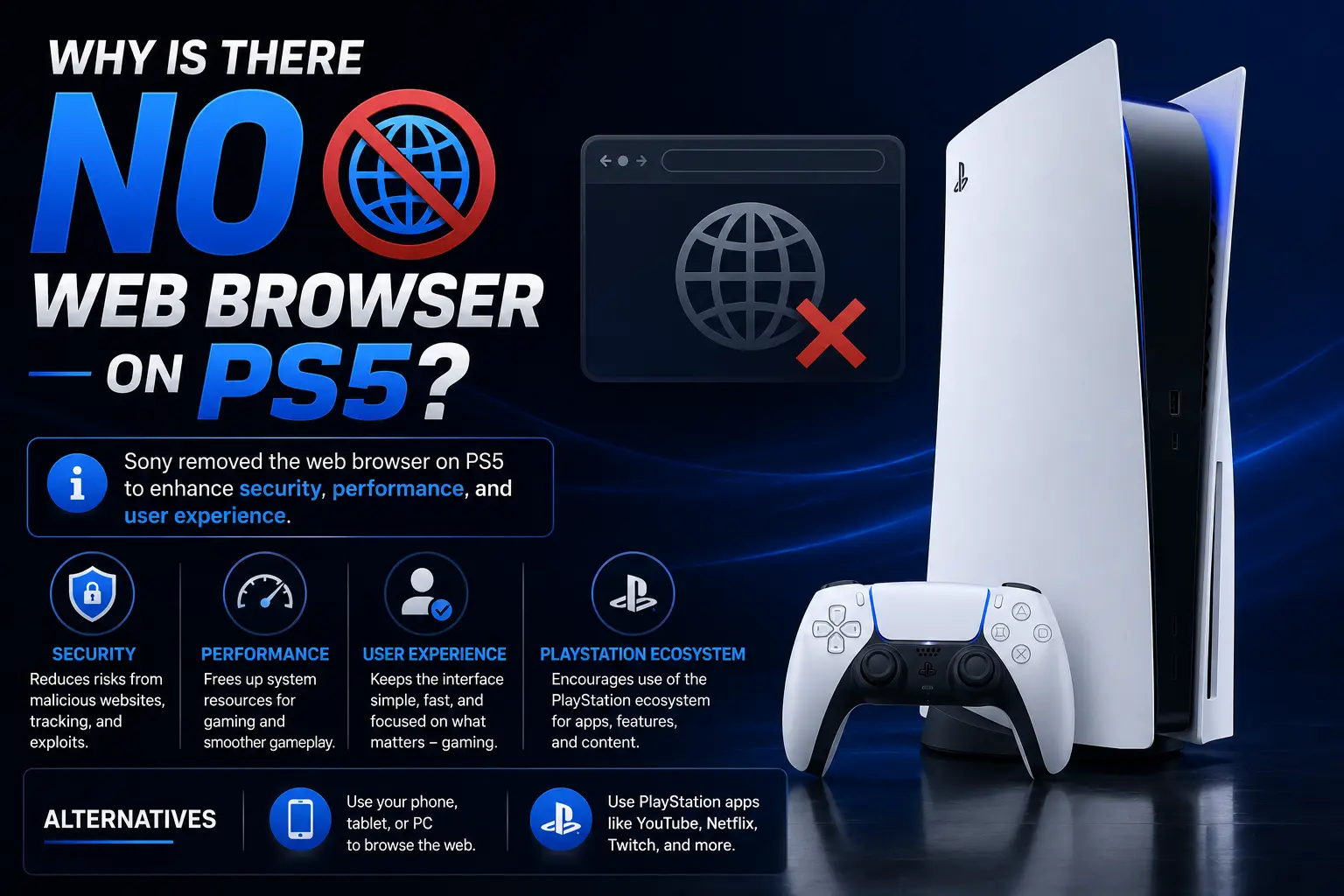
If you’ve picked up a PS5 after years of using a PS3 or PS4, you’ve probably noticed something missing: there’s no web browser icon anywhere on the home screen. That’s not a bug or an oversight. Why is there no web browser on PS5 comes down to one main decision by Sony — the company doesn’t think a full browser belongs on a modern game console anymore, mostly because almost everyone already has a phone, tablet, or smart TV for that job.
But here’s the twist most articles don’t tell you: the PS5 actually does have a browser hidden inside it. Sony just doesn’t want you to find it easily. Below, we’ll cover the official reasoning, the security angle nobody talks about, and a step-by-step way to unlock that hidden browser yourself.
Table of Contents
Quick Answer
Sony removed the built-in web browser starting with the PS5 because:
- It didn’t get much use on the PS4 and PS3.
- Nearly every household already has a phone or smart TV with a better browser.
- A browser is one more piece of software that hackers could try to exploit.
- Sony would rather spend engineering time on gaming features than browser maintenance.
That’s the short version. Now let’s break down each reason properly, because “Sony just didn’t feel like it” isn’t the whole story.
A Quick History: PS3 and PS4 Did Have Browsers
To understand why this feels like a downgrade, it helps to know what came before.
| Console | Built-in Web Browser? | Notes |
| PS3 | Yes | Basic browser, included from launch in 2006 |
| PS4 | Yes | Slightly improved, but slow and rarely updated |
| PS5 | No (officially) | Removed from the main interface entirely |
| Xbox Series X/S | Yes | Microsoft Edge is built in and fully functional |
A web browser, if you’re new to the term, is simply the software that lets a device load websites — think Chrome, Safari, or Edge. On older PlayStation consoles, this let you check Facebook, read articles, or watch a video that wasn’t available through a dedicated app, all on your TV screen without switching devices.
So when the PS5 launched in November 2020, longtime PlayStation owners noticed the browser icon was simply gone. That absence is the reason this topic still gets searched thousands of times a month years later.
The Official Reason Sony Gave
Shortly after the PS5 launched, Sony’s Hideaki Nishino addressed the missing browser directly in an interview with a Japanese tech outlet. In short, he explained that Sony wasn’t convinced a standalone web browser app was something a game console actually needed anymore, and that there were no plans to add one back at the time.
That statement lines up with what usage data likely showed Sony internally: most people who wanted to browse the web on their TV already had a smart TV app, a streaming stick, or simply used their phone instead. A dedicated browser on the PS4 was a nice-to-have, not a must-have — and cutting it let Sony focus development resources elsewhere.
Why Does the PS5 Not Have a Web Browser: The Security Angle
There’s a second, less publicized reason many tech writers point to: security.
A web browser is one of the most commonly exploited pieces of software on any device, because it constantly loads code from random websites. On a PC, that risk is managed with frequent security patches. On a console — where Sony has to test and approve every system update carefully — a full browser is a bigger attack surface for hackers looking to run unauthorized code, pirate games, or break the console’s copy protection.
By leaving a full browser out of the standard interface, Sony reduces one obvious way people could try to “jailbreak” or exploit the PS5. This isn’t officially confirmed by Sony as the main reason, but it’s a widely accepted explanation among security researchers and longtime PlayStation modders.
Does PlayStation Have a Browser At All? Yes — It’s Just Hidden
Here’s the part most competing articles skip past: does PlayStation have a browser built in somewhere? Technically, yes.
Ars Technica discovered shortly after launch that the PS5 ships with a limited, unlisted browser used internally to display the digital User’s Guide. Sony never intended for players to use it for general browsing, but with the right steps, you can point that hidden browser at other websites too.
How the Hidden PS5 Browser Works
Sony’s console loads its help manual through a live web address rather than storing it as offline text. Since that requires a functioning browser component, the code for a browser is technically still present on every PS5 — it’s just not exposed as an app you can open directly.
Players found that by linking certain external accounts through the console’s settings, they could trick the console into showing that hidden browser window with a search bar, rather than the restricted manual page. From there, it behaves like a very basic, stripped-down browser.
How to Access the PS5’s Hidden Web Browser
This method isn’t officially supported by Sony, so treat it as a workaround rather than a permanent feature — Sony has changed how it works before and could do so again.
- Open Settings on your PS5 (the gear icon, top right of the home screen).
- Go to Users and Accounts.
- Select Linked Services.
- Choose an eligible service (methods have used YouTube or similar linkable accounts) and select Link.
- When prompted with a sign-in screen, look for an option like Use Browser instead of the app sign-in.
- Accept the terms/agreement screen that appears.
- From there, you’ll often land on a Google search page rendered inside the hidden browser.
- You can now type a search query using your controller or a connected keyboard and browse basic, mostly text-based websites.
What You Can and Can’t Do With It
Because this browser was never meant for public use, expect real limitations:
- Text-heavy sites (news, forums, Wikipedia) load reasonably well.
- Video playback is unreliable — many sites won’t stream audio or video properly.
- There’s no bookmark bar, no extensions, and no tabs.
- Sony can patch this access method out in a future system update at any time.
If you need a reliable way to browse, this trick is a fun novelty, not a daily-driver solution.
Comparing PS5 vs Xbox on Web Browsing
One reason this question keeps coming up is the direct comparison to Xbox. Microsoft’s Series X and Series S both include Microsoft Edge as a standard, fully supported app — no workaround required.
| Feature | PS5 | Xbox Series X/S |
| Official browser app | No | Yes (Microsoft Edge) |
| Browser in home menu | No | Yes |
| Hidden/unofficial browser | Yes (unsupported) | Not needed |
| Video streaming support | Poor (via workaround only) | Full support |
| Risk of losing access | High (Sony can patch it) | None |
If browsing the web on your TV through your console matters to you specifically, this is a genuine point in Xbox’s favor.
Common Mistakes People Make
- Assuming the missing browser means the PS5 can’t connect to Wi-Fi or the internet at all. It absolutely can — the browser is just one small piece of internet functionality among many (downloads, streaming apps, online play, PlayStation Network).
- Trying to install a random third-party browser app. The PS5’s app store doesn’t offer browser apps, and downloading anything outside official channels risks your warranty and console security.
- Expecting the hidden browser trick to work exactly like a phone browser. It’s intentionally limited and can break with system updates.
- Confusing the PS5’s lack of a browser with a hardware limitation. It’s a software and policy decision, not something the hardware is incapable of.
Best Alternatives to Browsing the Web on PS5
If you actually need to view a website on your TV screen, these options are far more reliable than the hidden browser trick:
- Screen mirror from your phone or laptop using a smart TV’s built-in casting feature (AirPlay, Chromecast, or Miracast).
- Use your smart TV’s own browser app, if your TV has one built in.
- Plug in a streaming stick (like a Fire TV Stick, Chromecast, or Roku) into a spare HDMI port for full, unrestricted browsing on the big screen.
- Use a laptop or tablet with an HDMI cable for a completely full-featured browsing experience.
Frequently Asked Questions
Why doesn’t PS5 have a browser?
Sony decided a standalone web browser app wasn’t necessary on a modern game console, since most players already browse on phones, tablets, or smart TVs. Reducing the console’s attack surface for hackers is also considered a factor.
Why did PS5 remove the web browser that PS3 and PS4 had?
It wasn’t heavily used on those consoles, and maintaining and securing a full browser takes ongoing engineering effort. Sony chose to redirect that effort toward gaming features instead.
Does PlayStation have a browser at all?
The PS5 has a limited, unofficial browser hidden inside its User’s Guide feature. It isn’t listed as an app, but players can access it through an account-linking workaround.
Will Sony ever add a browser back to PS5?
Sony hasn’t announced plans to bring back an official browser app. Given how many years have passed since the PS5’s 2020 launch without one, it’s unlikely to appear as a standard feature.
Is the PS5’s hidden browser safe to use?
It’s an unsupported feature, so Sony offers no guarantees about safety, and it could be removed in a future update. Basic browsing is generally fine, but avoid entering passwords or sensitive information through it.
Can I watch videos through the PS5’s hidden browser?
Not reliably. Video and audio playback are the biggest weak points of the hidden browser, so it’s better suited to reading text-based websites.
Final Thoughts
So, why is there no web browser on PS5? Sony made a deliberate call: skip the browser, lean on the fact that everyone already has a phone or smart TV nearby, and keep the console’s software footprint smaller and more secure. It’s a defensible decision, even if it’s mildly inconvenient for the rare moment you want to look something up without grabbing your phone.
If you’re determined to browse anyway, the hidden browser trick works right now — just don’t expect it to replace your phone anytime soon.