
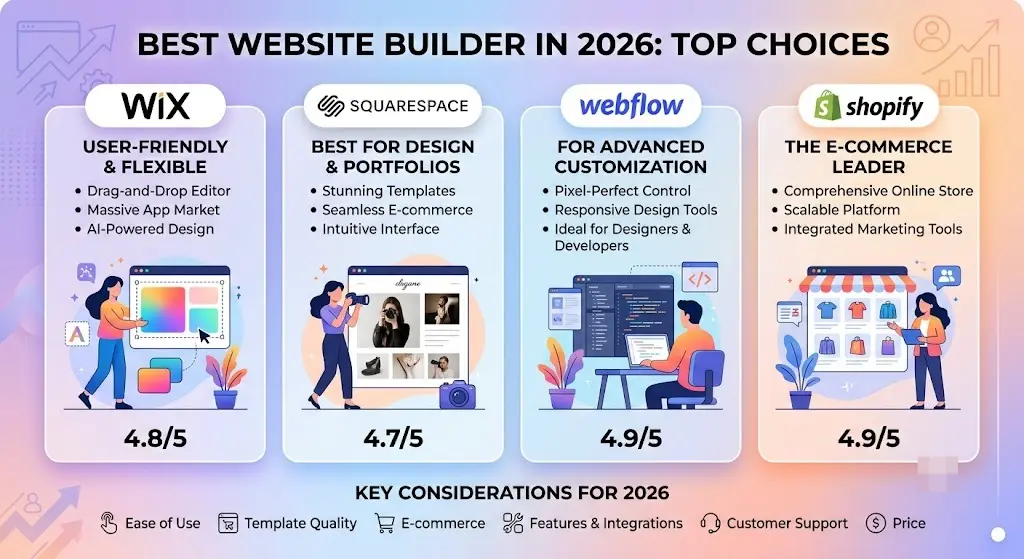
Choosing the best website builder feels harder than it should. Every review site claims a different winner, pricing pages hide fees, and most beginners just want a straight answer: which platform will actually get their site online without wasting money or getting stuck later?
This guide cuts through that noise. Instead of pushing one “best of all” pick, it breaks down the top website builders by what they’re actually good at — design, ecommerce, blogging, or fast AI-assisted setup — so you can match a platform to your specific project instead of guessing.
Table of Contents
What Makes a Website Builder “Best”?
Before comparing platforms, it helps to know what actually separates a great website builder from a mediocre one. The strongest platforms in 2026 tend to share these traits:
- Ease of use — a visual, drag-and-drop editor that doesn’t require code.
- Design flexibility — enough customization that your site doesn’t look like a template.
- Built-in SEO tools — control over titles, meta descriptions, and clean URL structure.
- Reliable hosting and uptime — since the builder also hosts your site.
- Room to grow — the ability to add ecommerce, bookings, or marketing tools later without switching platforms.
- Fair pricing — transparent plans without hidden transaction fees or forced upgrades.
No single platform wins on every point. That’s exactly why picking “the best website builder” really means picking the best one for your situation.
Quick Comparison: Top Website Builders
| Website Builder | Best For | Starting Price (billed annually) | Ease of Use | Ecommerce |
| Wix | All-around flexibility and design freedom | Around $17/month | Very easy | Good, improves at higher tiers |
| Squarespace | Design-forward portfolios and small businesses | Around $16–19/month | Easy | Solid, strong on aesthetics |
| Shopify | Dedicated online stores | Around $29–39/month | Moderate | Best-in-class |
| WordPress.com / self-hosted WordPress | Content-heavy sites, blogs, full control | Free (self-hosted) or paid plans | Steeper learning curve | Possible via plugins |
| Webflow | Designers who want pixel-level control | Around $18/month+ | Advanced | Available, more technical |
| Framer | Startups wanting fast, AI-assisted launches | Free tier available, paid plans from ~$15/month | Easy to moderate | Limited |
| GoDaddy Website Builder | Simple sites bundled with a domain | Around $10–17/month | Very easy | Basic |
Prices shift often and vary by promotion, so always confirm current numbers on each provider’s pricing page before committing.
The Best Website Builders, Platform by Platform
1. Wix — Best Overall Website Builder
Wix consistently ranks at or near the top of most independent website builder comparisons, and for good reason. It combines an extremely approachable drag-and-drop editor with a huge library of templates, AI-assisted design tools, and enough advanced features (custom code, apps, automations) to satisfy more experienced users too.
Strengths:
- Thousands of templates across nearly every industry.
- A free plan to test the platform (with Wix branding and a subdomain).
- Strong app marketplace for adding bookings, forms, and marketing tools.
- Wix Studio option for freelancers and agencies managing multiple client sites.
Watch out for:
- The free and entry-level plans don’t include a custom domain or ecommerce.
- The sheer number of settings can overwhelm first-time users.
Wix is a strong default choice if you’re not sure yet whether your site will end up as a portfolio, a blog, or a store — it can grow with you.
2. Squarespace — Best for Design-Focused Sites
Squarespace has built its reputation on clean, modern templates that look professionally designed straight out of the box. It’s a favorite among photographers, consultants, restaurants, and creative small businesses that want a polished look without hiring a designer.
Strengths:
- Every plan includes the full template library — no paying extra for premium themes.
- Built-in scheduling, email campaigns, and basic ecommerce even on lower tiers.
- Clean, uncluttered editor that avoids Wix’s feature overload.
Watch out for:
- Less design flexibility than Wix or Webflow if you want to break outside template structures.
- No free plan — only a trial period.
If your priority is looking established and credible fast, Squarespace usually delivers that with the least effort.
3. Shopify — Best for Online Stores
Shopify isn’t really competing to be a general-purpose website builder — it’s built specifically to sell products, and it does that better than any of the general builders on this list.
Strengths:
- Deep inventory, shipping, and payment tools built in from the start.
- The largest app ecosystem of any ecommerce platform, covering everything from dropshipping to subscriptions.
- Scales cleanly from a single-product store to a large multi-channel brand.
Watch out for:
- Higher starting price than general website builders.
- Overkill if you just need a simple informational site with no products.
If selling physical or digital products is the core of your business, Shopify is the safer long-term bet even if it costs more upfront.
4. WordPress — Best for Full Control and Content-Heavy Sites
WordPress isn’t a single product — it’s either a hosted plan (WordPress.com) or free, self-hosted software you install on your own web hosting. That distinction matters a lot, and it’s worth understanding before you commit.
Strengths:
- Total control over design and functionality through themes and plugins.
- The best platform for large blogs, publications, or content libraries.
- No platform lock-in — you own your files and can move hosts anytime.
Watch out for:
- Self-hosted WordPress requires managing your own hosting, updates, and security.
- Steeper learning curve than Wix or Squarespace for complete beginners.
WordPress rewards people willing to invest a bit more time upfront in exchange for long-term flexibility and ownership.
5. Webflow — Best for Designers Who Want Pixel-Level Control
Webflow sits between a traditional website builder and a professional design tool. It gives visual control close to hand-coded HTML and CSS, without actually requiring you to write code.
Strengths:
- Extremely precise design control, popular with agencies and freelance designers.
- Clean, fast-loading sites with strong technical SEO foundations.
- CMS features that support complex, structured content.
Watch out for:
- The learning curve is real — it’s not built for absolute beginners.
- Pricing can climb quickly once you add ecommerce or CMS features.
Choose Webflow if design precision matters more to you than getting started in an afternoon.
6. Framer — Best for Fast, AI-Assisted Launches
Framer has grown fast as a builder aimed at startups and modern brands that want a sharp, animated site live in a day. Its workflow leans heavily on AI-assisted layout generation and Figma-style design tools.
Strengths:
- Fast setup, especially for landing pages and marketing sites.
- Strong animation and interaction capabilities without code.
- Free tier available to test before paying.
Watch out for:
- Less mature ecommerce and blogging tools compared to Shopify or WordPress.
- Smaller app/plugin ecosystem than older platforms.
7. GoDaddy Website Builder — Best for a Fast, Bundled Setup
If you’re already registering a domain through GoDaddy, its built-in website builder is a genuinely simple option for getting a basic site live quickly.
Strengths:
- Very fast setup, often guided by a short questionnaire.
- Domain, hosting, and site builder bundled together.
- Affordable entry pricing.
Watch out for:
- Design flexibility is limited compared to Wix, Squarespace, or Webflow.
- Better suited to simple sites than growing, feature-heavy ones.
How to Choose the Best Website Builder for You
Rather than chasing whichever platform tops a “best of” list, work backward from your actual project.
- Building a personal portfolio or simple business site? Wix or Squarespace will get you there fastest with the least friction.
- Selling products online, even a handful? Shopify is purpose-built for this and will save you headaches as you grow.
- Running a blog or content-heavy publication? WordPress gives you the most long-term flexibility and ownership.
- Need precise, custom design as a freelancer or agency? Webflow or Wix Studio give you the closest thing to code-level control without code.
- Want something live today with minimal decisions? Framer or GoDaddy’s builder are built for speed.
Common Mistakes People Make Choosing a Website Builder
- Picking based on price alone. A cheap plan that lacks ecommerce or a custom domain often costs more once you upgrade to unlock basic features.
- Ignoring transaction fees. Some builders charge a percentage on every sale unless you’re on a higher tier — this adds up fast for stores with volume.
- Not checking migration difficulty. Moving a site off some builders later (especially closed platforms) can mean rebuilding from scratch. WordPress avoids this problem almost entirely.
- Overlooking domain setup. Every builder needs a domain name attached to look professional. If you haven’t picked one yet, start with how to choose a domain name and compare how much a domain name costs before you commit to a builder’s bundled pricing.
- Confusing a free plan with a real launch. Free tiers usually add the builder’s branding and a subdomain, which looks unfinished to visitors — fine for testing, not for a live business.
Domains, URLs, and Your New Website
Whichever website builder you pick, a few underlying concepts will follow you throughout the setup process, and understanding them upfront saves confusion later.
Every builder will ask you to connect a domain, either one you already own or one you register through them. If you’re buying fresh, it’s worth comparing the best domain name registrars and understanding how domain name registration actually works before you lock in a purchase through your builder — it’s not always the cheapest route.
If you already have a domain elsewhere and want to move it to your new builder, see our guide on how to transfer a domain name, including the specific steps for a domain transfer to GoDaddy if that’s your registrar of choice.
Once your site is live, the structure of your web address matters for both usability and SEO. It helps to understand what a URL is and the individual parts of a URL, especially as you start creating pages with clean URL slugs and applying good URL SEO practices.
Many builders also let you set up separate sections of your site, like a blog or store, on a subdomain rather than a folder path. Before you do that, it’s worth understanding the difference between root domain and subdomain, since it can affect how search engines rank your content. If you’re set on using one, our guide on what a subdomain is and subdomain SEO will help you avoid the common pitfalls.
Frequently Asked Questions
What is the best website builder for beginners? Wix and Squarespace are generally considered the easiest for beginners, thanks to drag-and-drop editors and large template libraries that require no coding knowledge.
What is the best website builder for a small business? It depends on the business type. Squarespace suits service-based and creative businesses, while Shopify is the stronger pick if the business sells physical products.
Is WordPress better than Wix or Squarespace? WordPress offers more control and ownership, but requires more setup and maintenance. Wix and Squarespace trade some flexibility for a much simpler, all-in-one experience.
Do I need to buy a domain separately from my website builder? Not necessarily — most builders let you register a domain directly through them. However, buying through an independent registrar can sometimes be cheaper, and gives you more control if you ever switch platforms.
Can I switch website builders later if I change my mind? Yes, though how easy that is depends on the platform. WordPress makes migration straightforward since you own the underlying files. Closed platforms like Wix or Squarespace typically require rebuilding the site manually on the new platform.
What’s the cheapest way to build a website? Free plans from Wix or WordPress.com can get a basic site online at no cost, though you’ll be limited to a subdomain and platform branding until you upgrade.
Final Thoughts
There isn’t one single best website builder for everyone — there’s a best website builder for your project. Wix and Squarespace cover most general-purpose sites well, Shopify remains the strongest choice for ecommerce, WordPress wins on control and content depth, and newer tools like Framer are worth a look if speed is your top priority.
Start by identifying what your site actually needs to do — sell, inform, showcase, or publish — then match that need to the platform built to handle it best.


