
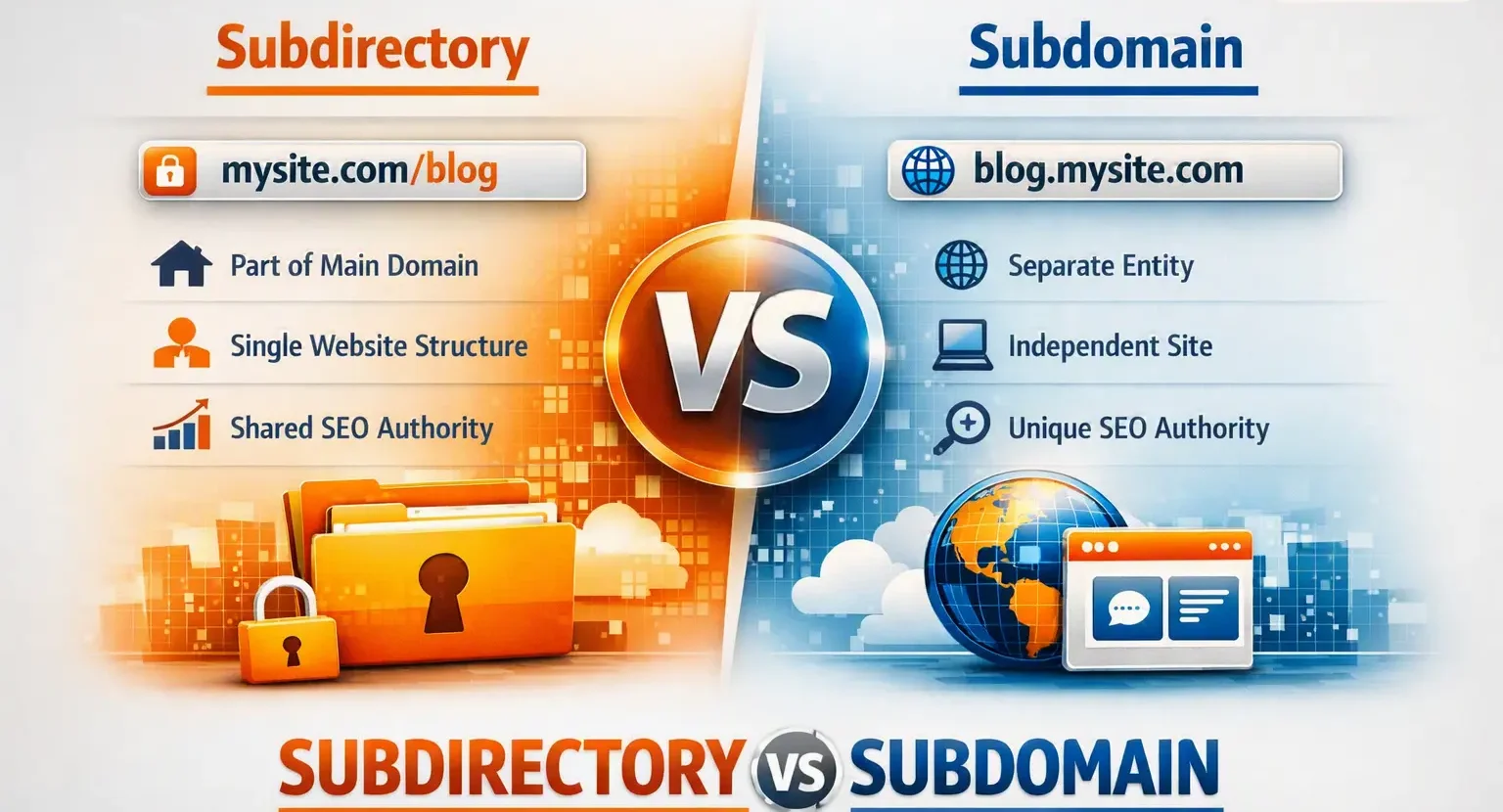
If you’ve searched for subdirectory vs subdomain moz, you’ve probably run into Moz’s well-known writing on root domains, subdomains, and subfolders — and you’re trying to figure out which structure is actually better for your website’s SEO. It’s one of the longest-running debates in SEO, and the honest answer is more nuanced than either side of the argument usually admits.
This guide breaks down the real difference between a root domain and a subdomain, explains where Moz’s position fits into the broader industry conversation, and gives you a clear, practical way to decide which structure is right for your own site.
Table of Contents
Root Domain vs Subdomain: The Basic Difference
Before getting into the SEO debate, it helps to define the terms precisely, since people often use them loosely.
- Root domain: The core registered domain name, such as example.com. This is the domain you purchase from a registrar and everything else is built on top of.
- Subdomain: A prefix added in front of the root domain, separated by a period, such as blog.example.com or shop.example.com. Subdomains are free to create in unlimited numbers once you own the root domain.
- Subdirectory (subfolder): A folder path added after the root domain, such as example.com/blog or example.com/shop. It lives entirely within the same domain and doesn’t require any separate DNS configuration.
The visual difference is simple: a subdomain sits to the left of the root domain, while a subdirectory sits to the right of it. If you want a deeper foundational explanation of these building blocks, our guides on what is a subdomain and what is a domain name system cover the mechanics in more detail.
| Structure | Example | Sits Relative to Root Domain | Needs DNS Setup? |
| Root Domain | example.com | — | N/A |
| Subdomain | blog.example.com | To the left | Yes |
| Subdirectory | example.com/blog | To the right | No |
What Moz Says About Subdomains and Subdirectories
Moz has published some of the most cited material in SEO on this exact topic, largely because Moz itself made a real, documented structural change: moving its own beginner’s guide content from a subdomain to a subdirectory. Moz’s own reporting on that migration described a significant increase in rankings and organic visibility after consolidating content under the main root domain rather than keeping it on a separate subdomain.
Moz’s broader position, echoed across much of its educational content, is that subdomains are often treated by Google with more separation than subdirectories, even though Google has repeatedly stated the two should be roughly equivalent from an indexing standpoint. Moz’s practical takeaway leans toward subdirectories consolidating authority more reliably in real-world testing, even if the two aren’t guaranteed to behave identically in theory.
It’s worth being clear that this is Moz’s data-informed interpretation, not a universal rule — and it’s exactly why this topic still generates debate across the SEO industry.
What Google Has Actually Said
Google’s public statements on this have been consistent for over a decade: subdomains and subdirectories are treated equivalently, and the choice should be based on what’s easiest to manage technically, not on ranking advantages. Former Google engineer Matt Cutts said as much years ago, framing the decision as a configuration preference rather than an SEO one.
More recent commentary from technical SEOs — including analysts at Ahrefs — has pushed back on the idea that subdirectories are inherently better, pointing out that many large, successful sites rank extremely well on subdomains, and that ranking differences often come down to factors like content quality, internal linking, and crawl budget rather than the URL structure itself.
So you end up with two credible but different conclusions:
- Moz’s real-world case study suggests subdirectories can outperform subdomains once consolidated.
- Google’s official guidance and other industry data suggest the structure itself isn’t a ranking factor, and outcomes vary by site.
Both can be true at once. A single case study reflects what happened for one site, under one set of circumstances — not a guaranteed outcome for every site that makes the same switch.
When a Subdirectory Usually Makes More Sense
- You want all content to share the same domain authority and backlink profile
- You’re running a blog, resource hub, or content section tied closely to your main product or brand
- You want simplified analytics and SEO tracking under a single property
- Your team prefers centralized management through one CMS
When a Subdomain Usually Makes More Sense
- The section needs a completely different technology stack (e.g., a web app on a different server than your marketing site)
- You’re isolating something for security or infrastructure reasons, like a customer portal
- The section is run by a genuinely separate team, product, or business unit
- You need independent hosting, such as a support desk or documentation platform built on third-party software
If you’re weighing this decision for your own site structure, our comparisons of subdomain vs subdirectory and subdomain vs subfolder go deeper into practical scenarios, and subdomain SEO covers the ranking considerations specifically.
A Quick Clarification: “Active Directory Subdomain” Is a Different Concept
If you’ve also seen the term Active Directory subdomain in your research, it’s worth knowing this refers to something entirely different from website SEO structure. Active Directory is Microsoft’s system for managing users, computers, and permissions across a corporate network, and a “subdomain” in that context refers to a child domain within an organization’s internal Windows domain hierarchy — used for things like separating departments or regional offices on a company network.
It shares terminology with web subdomains because both rely on the same underlying DNS naming convention, but Active Directory subdomains have nothing to do with website SEO, rankings, or content structure. If your research brought you here, this section is your signal that you’re likely looking for IT infrastructure resources instead of an SEO guide.
Common Mistakes in the Subdomain vs Subdirectory Decision
- Choosing structure based on outdated SEO myths instead of the technical needs of the section being built.
- Assuming one company’s case study applies universally. Moz’s own results reflect their specific site, content, and history — not a guaranteed formula.
- Switching structures without proper redirects. Moving content between a subdomain and subdirectory without 301 redirects can cause a real, temporary drop in rankings regardless of which direction you’re moving.
- Ignoring technical constraints. Sometimes a subdomain is necessary for legitimate infrastructure reasons, and forcing everything into subdirectories for hypothetical SEO gains can create bigger technical headaches.
- Overlooking security setup. Every subdomain needs its own attention for HTTPS coverage — a gap covered in our SSL subdomain guide.
Best Practices
- Default to a subdirectory when the content is closely tied to your core brand and doesn’t require separate infrastructure.
- Use a subdomain when there’s a genuine technical or organizational reason, not purely for aesthetic separation.
- If you migrate between the two, implement proper 301 redirects and monitor rankings closely for several weeks afterward.
- Keep internal linking strong between sections regardless of structure — this matters more for authority flow than the URL format itself.
- Document your domain structure so future decisions about new sections stay consistent with your existing setup.
Frequently Asked Questions
Does Moz recommend subdirectories over subdomains for SEO? Moz’s own published case study and educational content generally lean toward subdirectories consolidating SEO authority more effectively, based on real results from moving Moz’s own content off a subdomain. This reflects Moz’s data and interpretation, not an absolute rule for every website.
Does Google treat subdomains differently than subdirectories? Google has stated for years that both are treated equivalently from a technical indexing standpoint, and the decision should be based on configuration convenience. In practice, some SEOs report differences in real-world results, though this is debated across the industry.
What is the actual difference between a root domain and a subdomain? A root domain is the core registered domain name (example.com). A subdomain is a prefix added in front of it (blog.example.com), functioning as a distinct hostname that can be hosted separately from the main site.
Is a subdomain considered a separate website? Technically, yes — subdomains can have their own IP address, hosting, and configuration, and search engines can crawl and index them somewhat independently. Whether that translates into meaningfully different rankings depends on the specific site and content.
Should a blog be on a subdomain or a subdirectory? Most current SEO guidance, including case studies like Moz’s, favors placing a blog in a subdirectory (example.com/blog) rather than a subdomain (blog.example.com), since it more reliably consolidates SEO authority under one domain.
What does “Active Directory subdomain” mean, and is it related to SEO? No — it refers to Microsoft’s internal network domain hierarchy used for managing users and permissions within an organization. It’s unrelated to website structure or SEO despite the shared terminology.
Final Thoughts Subdirectory vs Subdomain
The subdirectory vs. subdomain debate isn’t a case of one side being definitively right — it’s a case of Moz’s documented, real-world results pointing one direction, while Google’s official stance and other industry data suggest the structure itself matters less than execution. For most sites building content closely connected to their main brand, a subdirectory is the safer default. Subdomains still have legitimate, valuable use cases — they’re just better suited to genuine technical separation than to squeezing out extra ranking points.
If you’re mapping out your site’s broader structure, it’s also worth understanding how a domain vs subdomain decision fits alongside core concepts like what is a URL and a fully qualified domain name, especially before committing to a structure that’s harder to unwind later.


