
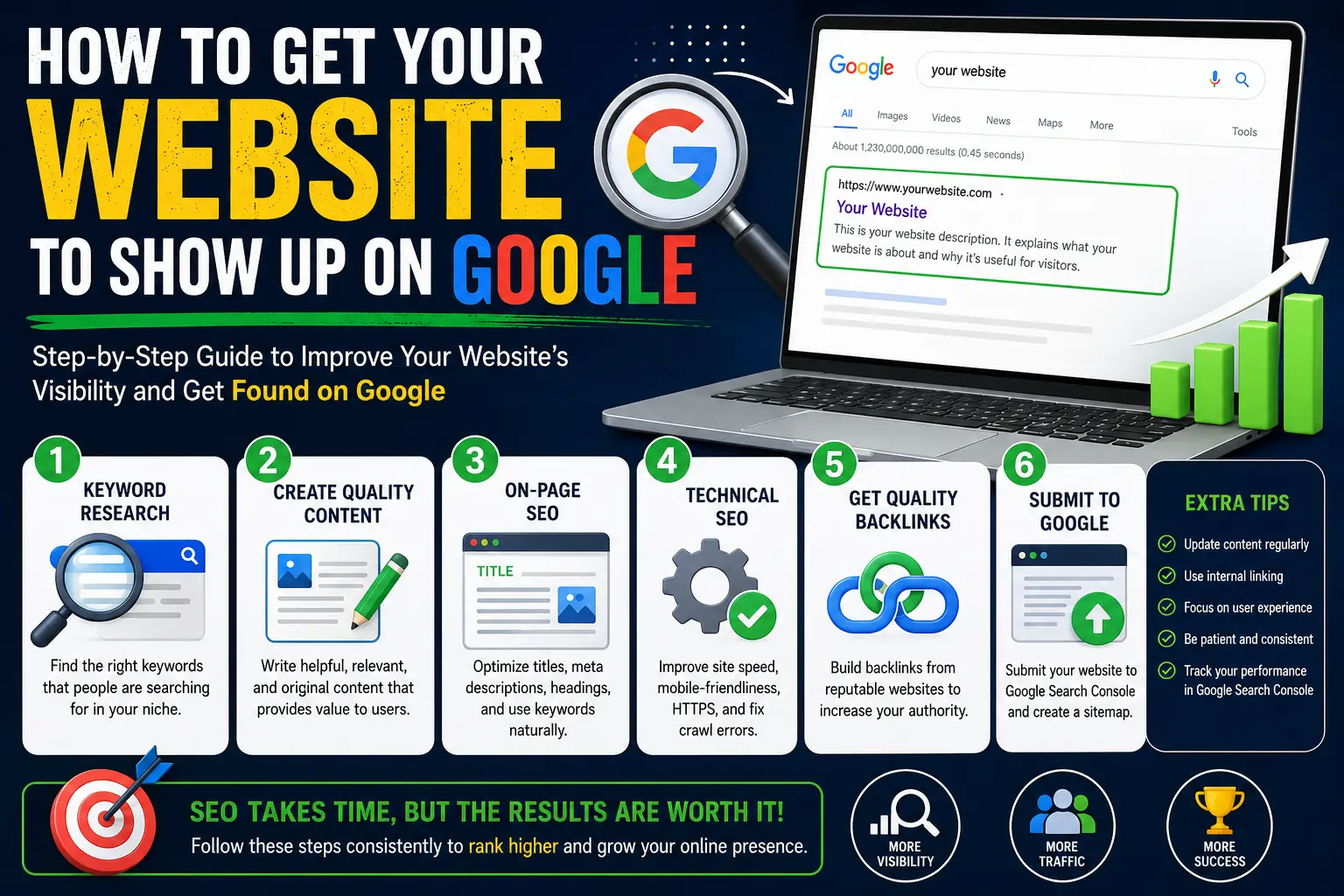
If you just launched a website and typed your business name into Google only to find nothing, you’re not alone. Building a site doesn’t automatically get it listed — Google has to find it, understand it, and decide it deserves a spot in search results first.
This guide explains how to get your website to show up on Google, starting with the basics of how search works, then walking through every step needed to get indexed, ranked, and eventually placed on page one. Whether your site is brand new or has been live for months with no traffic, the process below will tell you exactly what’s missing.
Table of Contents
Why Your Website Might Not Be Showing Up Yet
Before fixing the problem, it helps to understand why it happens. There are three common reasons a site doesn’t appear in search results:
- Google hasn’t found it yet. New websites aren’t automatically visible — search engines discover pages by following links or reading sitemap files.
- Google found it but hasn’t indexed it. Indexing means Google has stored a copy of your page in its database so it can be shown in search results. A page can be “crawled” without being indexed if Google decides it’s low quality, duplicate, or blocked.
- Your site is indexed, but ranking too low to be seen. Being in Google’s index doesn’t mean showing up on page one. There could be thousands of pages competing for the same keyword.
Each of these has a different fix, which is why simply “waiting” rarely solves the problem.
Step 1: Confirm Whether Google Has Indexed Your Site
Before doing anything else, check your current status. Open Google and search:
site:yourwebsite.com
If pages appear, your site is at least partially indexed. If nothing appears, Google hasn’t stored any pages from your domain yet.
For a more reliable check, use Google Search Console (a free tool from Google that shows how your site appears in search, including indexing status, errors, and search performance). Go to the URL Inspection tool, paste in your homepage URL, and it will tell you directly whether the page is indexed and why, if it isn’t.
Step 2: Set Up Google Search Console
This is the single most important tool for anyone trying to get a website to show up on Google, yet it’s the step most beginners skip.
- Go to Google Search Console and add your website as a property.
- Verify ownership (usually done through a DNS record, an HTML file upload, or your domain provider).
- Submit your XML sitemap (a file listing every important page on your site, formatted so search engines can read it easily, usually found at yourwebsite.com/sitemap.xml).
- Use the URL Inspection tool to request indexing for your key pages.
Submitting a sitemap doesn’t guarantee instant indexing, but it dramatically speeds up discovery compared to waiting for Google to stumble onto your site naturally.
Step 3: Fix Technical Barriers That Block Indexing
Sometimes a site isn’t showing up because something is actively preventing Google from reading it. Check these first:
| Issue | What to Check |
| Robots.txt blocking | Visit yourwebsite.com/robots.txt and confirm it doesn’t say “Disallow: /” |
| Noindex tag left on | Check page source for <meta name=”robots” content=”noindex”> |
| Site still in “under construction” mode | Some website builders keep a site private by default until launch is confirmed |
| Broken sitemap | Make sure yourwebsite.com/sitemap.xml loads without errors |
| No SSL certificate | Sites without HTTPS are ranked lower and can trigger browser warnings |
A surprising number of “why isn’t my site on Google” cases come down to a single checkbox left on from a website builder’s default settings, such as a “hide from search engines” toggle.
Step 4: Build a Foundation of On-Page SEO
Once Google can access your site, the next question is whether it understands what your pages are about. This is where on-page SEO (optimizing the content and code on your own pages, as opposed to work done elsewhere, like backlinks) comes in.
For every important page, make sure you have:
- One clear H1 heading describing the page’s main topic.
- A unique title tag (the clickable blue text shown in search results) under 60 characters.
- A meta description (the short summary shown under the title in search results) that includes your target keyword naturally.
- Descriptive URLs, such as yourwebsite.com/services/plumbing-repair instead of yourwebsite.com/page?id=482.
- Alt text on images describing what they show, which also helps accessibility.
- Internal links connecting related pages, so both users and Google can navigate your site easily.
Google is essentially trying to match a search query to the most relevant, well-structured page. If your content doesn’t clearly signal what it’s about, even excellent writing can go unseen.
Step 5: Understand How Google Ranks Pages
Getting indexed answers “is my site visible at all?” Ranking answers “does it show up near the top?” These require different work.
Google’s ranking systems weigh several factors, including:
- Relevance — how well your content matches the search query.
- Content quality — depth, accuracy, and originality of the information.
- Experience signals — whether the content reflects real expertise or first-hand experience.
- Page speed and mobile-friendliness — slow or non-mobile-friendly pages tend to rank lower.
- Backlinks — other websites linking to yours, treated as a vote of credibility.
- User behavior signals — whether visitors quickly leave your page after clicking (a sign of poor match with intent).
No single factor guarantees a top ranking. Google combines hundreds of signals, which is why sites with thin, generic content rarely outrank detailed, well-organized pages, even with the same keywords.
Step 6: Target Keywords People Are Actually Searching
A common mistake is optimizing a page for a phrase nobody searches. Before writing content, check what real people type into Google related to your business, using free tools like Google’s own “Search Console Performance” report, or the autocomplete suggestions that appear as you type a query.
For example, if you run a bakery, “how to get my website to show up on Google” isn’t your customer’s search — but “custom birthday cakes near me” likely is. Match content to the language your actual audience uses.
Step 7: Build Local Signals if You Serve a Local Area
If your business serves a specific city or region, appearing in local search results (the map-based results that show nearby businesses) matters more than a general first-page ranking.
To improve local visibility:
- Create and fully complete a Google Business Profile (a free business listing that appears in Google Maps and local search results).
- Keep your business name, address, and phone number identical across every online directory.
- Encourage genuine customer reviews on your Google Business Profile.
- Add location pages if you serve multiple cities or regions.
Local businesses often see faster visibility gains from this step than from general SEO writing, because local search results are ranked with a different, smaller pool of competitors.
Step 8: Earn Backlinks From Other Websites
A backlink is a link from another website pointing to yours. Google treats backlinks as a signal of trust — the more relevant, high-quality sites that link to you, the more credible your site appears.
Realistic ways to build backlinks include:
- Getting listed in industry directories relevant to your field.
- Guest posting on niche blogs related to your industry.
- Earning press mentions by pitching journalists relevant stories.
- Creating genuinely useful resources (guides, tools, research) that others want to reference naturally.
Avoid buying links or joining “link exchange” schemes. Google’s algorithms are specifically designed to detect and penalize manipulative link-building, which can suppress rankings rather than help them.
Step 9: Be Patient, But Track Progress
New websites typically take weeks to a few months to gain meaningful visibility, even after doing everything correctly. This isn’t a flaw in your setup — it reflects how Google evaluates trust and relevance over time, not instantly.
While waiting, track two things inside Google Search Console:
- Coverage report — confirms pages are indexed without errors.
- Performance report — shows which keywords are already generating impressions, even before you rank on page one.
Early impressions with no clicks often mean you’re indexed and slowly gaining visibility, just not high enough yet — a very different problem than not being indexed at all.
Common Mistakes That Keep Websites Invisible
- Publishing thin content. A page with 150 words rarely outranks competitors with detailed, well-organized answers.
- Ignoring mobile design. Most searches happen on mobile devices, and Google evaluates mobile experience directly.
- Duplicate content across pages. Copy-pasted service pages for different cities, with only the city name changed, confuse Google about which page to rank.
- No internal linking. Orphaned pages with no links pointing to them are harder for Google to discover and trust.
- Expecting instant results. SEO is cumulative, not immediate — sites that show up on page one usually built that position over months.
How to Get Your Website on Google’s First Page: Realistic Expectations
Reaching page one depends heavily on how competitive your keyword is. A local, specific phrase like “emergency plumber in Dayton Ohio” is realistic to rank for within months. A broad, high-competition term like “shoes” could take years and significant investment, if it’s achievable at all for a small site.
| Keyword Type | Example | Realistic Timeline |
| Local/niche | “wedding photographer in Tucson” | 1–4 months |
| Mid-competition | “best running shoes for beginners” | 4–9 months |
| High-competition | “shoes” | 12+ months, often unrealistic for small sites |
Choosing realistic, specific keywords first — and expanding from there — produces faster, more sustainable results than chasing broad terms immediately.
Frequently Asked Questions
How long does it take for a website to show up on Google? New pages are often indexed within a few days to a couple of weeks after submitting a sitemap through Google Search Console. Ranking well for competitive terms typically takes several months of consistent SEO work.
Why does my website not show up when I search my business name? This usually means the site isn’t indexed yet, is blocked by a robots.txt file or noindex tag, or is too new for Google to have fully evaluated it. Checking Google Search Console will confirm the exact cause.
Do I have to pay Google to show up in search results? No. Appearing in the standard (organic) search results is free. Paid ads appear separately, labeled “Sponsored,” and require a Google Ads account.
Where does my website show up on Google? You can check this using Google Search Console’s Performance report, which shows exactly which search queries your site appears for, along with its average position.
Can I get my website on Google’s first page overnight? No legitimate method achieves this. Sites that claim instant page-one rankings are usually describing paid ads, not organic results, or using manipulative tactics that risk penalties.
Does having a blog help my website show up on Google? Yes. Regularly publishing relevant, helpful content gives Google more pages to index and more opportunities to match your site to real search queries.
Final Thoughts How to Get Your Website to Show Up on Google
Getting a website to show up on Google isn’t one action — it’s a sequence: get indexed, remove technical barriers, build genuinely useful content, earn trust signals like backlinks and reviews, and give it time to compound. Skip the indexing step, and none of the rest matters. Skip quality content, and indexing alone won’t earn you a ranking. Work through the steps in order, and visibility follows as a natural result rather than a guessing game.


